
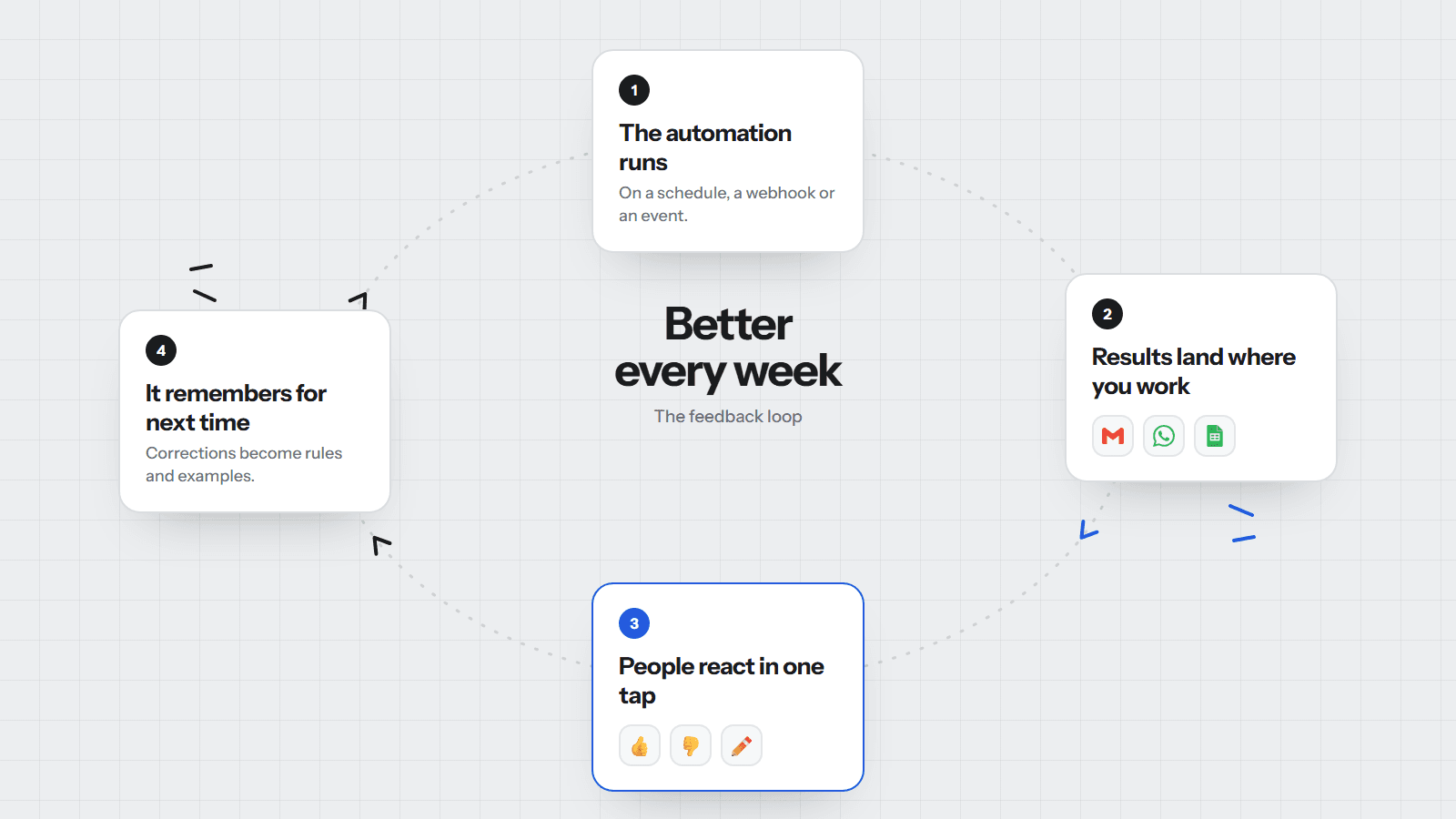
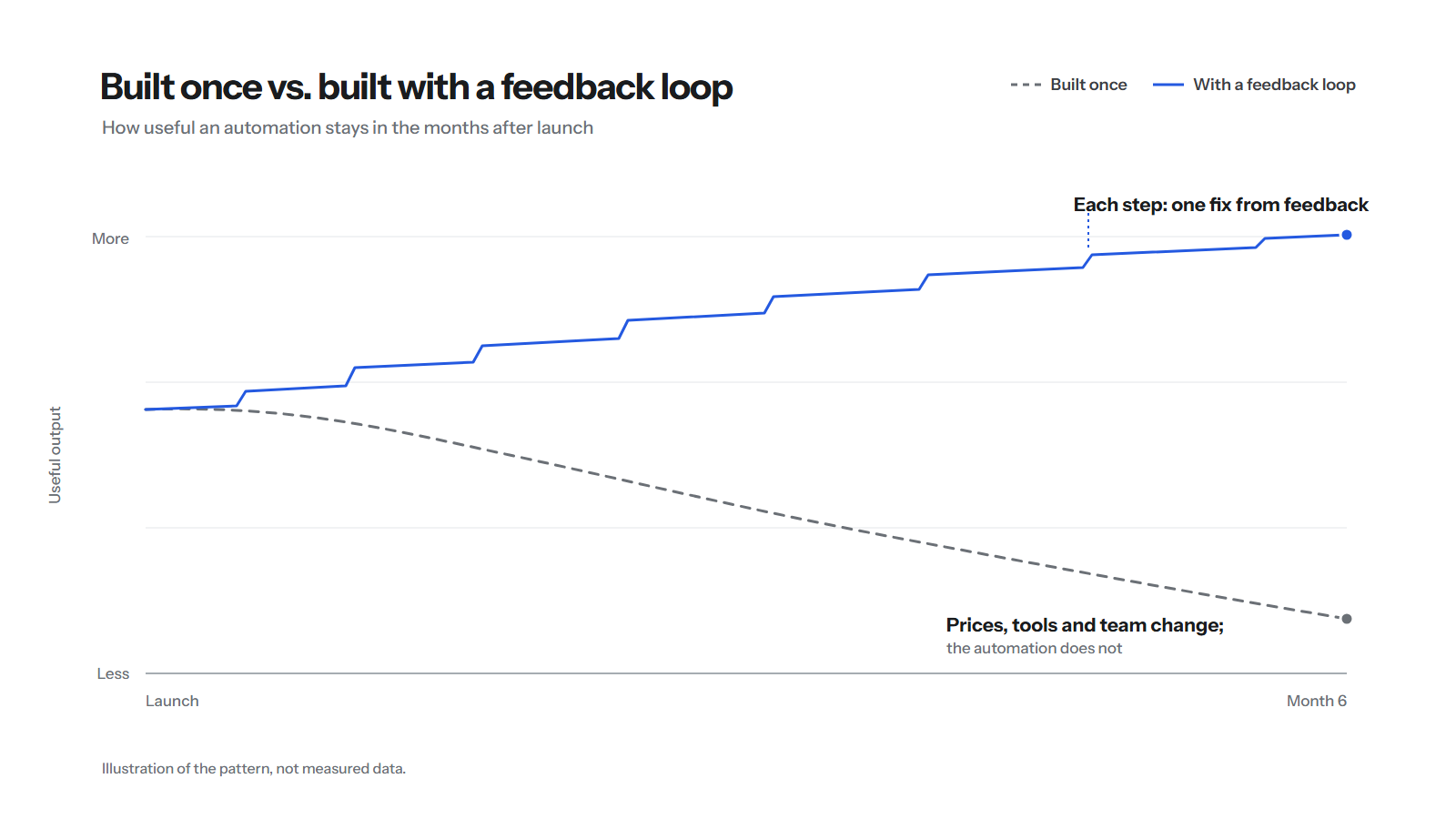
Most automations are at their best on the day they go live. Then the business moves: a new price, a new team member, a new tool, a customer type nobody planned for. The automation keeps doing exactly what it did on day one, and slowly becomes something people work around.
The fix is not a rebuild every six months. It is a feedback loop: a cheap, routine way for the people who see the results to say "this was wrong", and for that to change the next run.
1. Capture feedback where the work lands
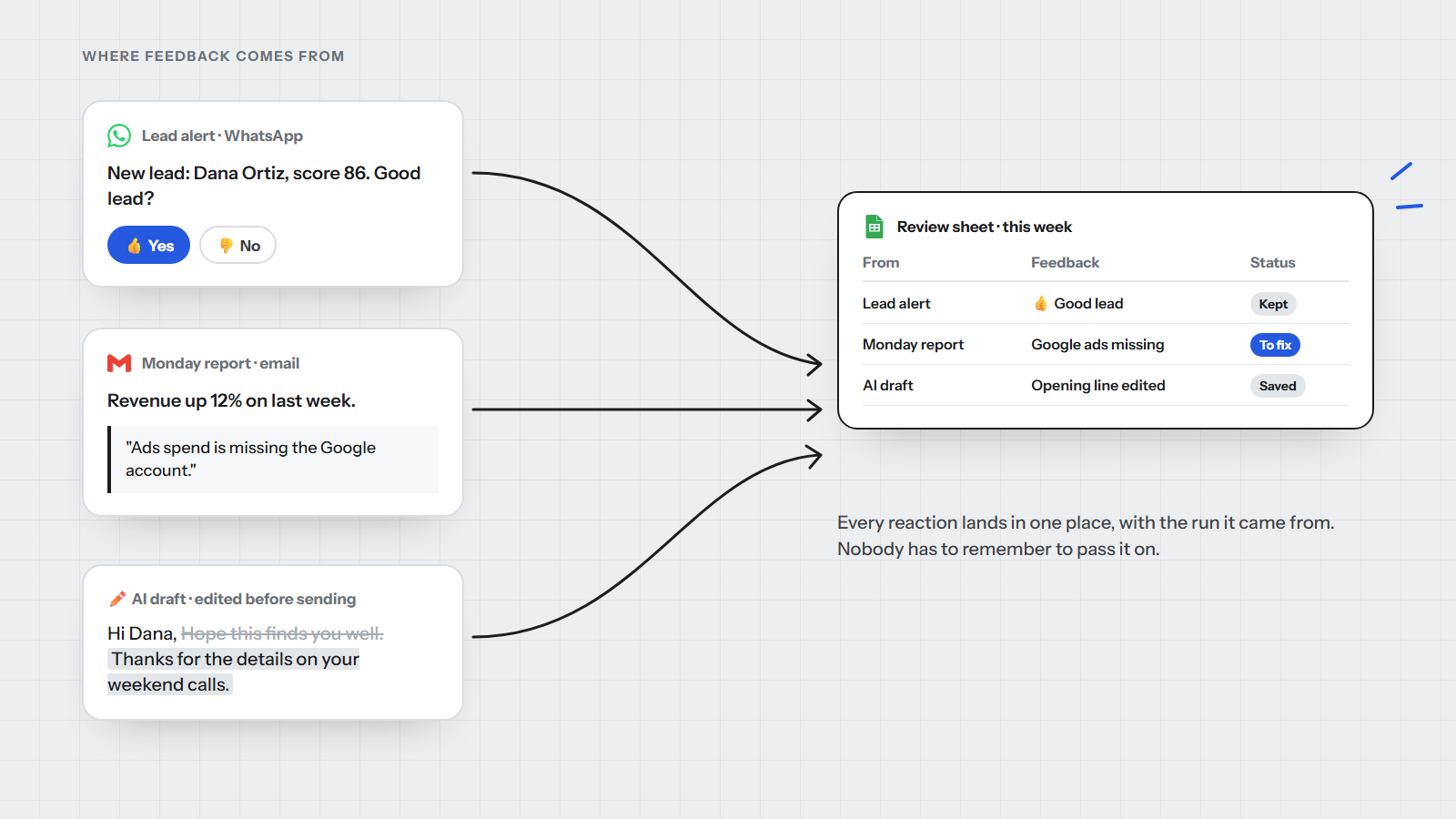
Nobody opens a separate tool to give feedback on an automation. So the feedback has to happen in the place the result arrives, in one tap or one sentence:
- A button on the alert. A new-lead message on WhatsApp ends with "Good lead? Yes / No".
- A reply to the report. The Monday report email says "Reply if a number looks wrong", and replies are read by the workflow, not lost in an inbox.
- An edit to a draft. When someone changes an AI-drafted email before sending it, the before and after are both kept.
Every one of these lands in a single review sheet, with a link to the run it came from. The person giving feedback does nothing extra; the automation does the filing.
If giving feedback takes more than one tap, you will not get feedback.
2. Give the automation a memory
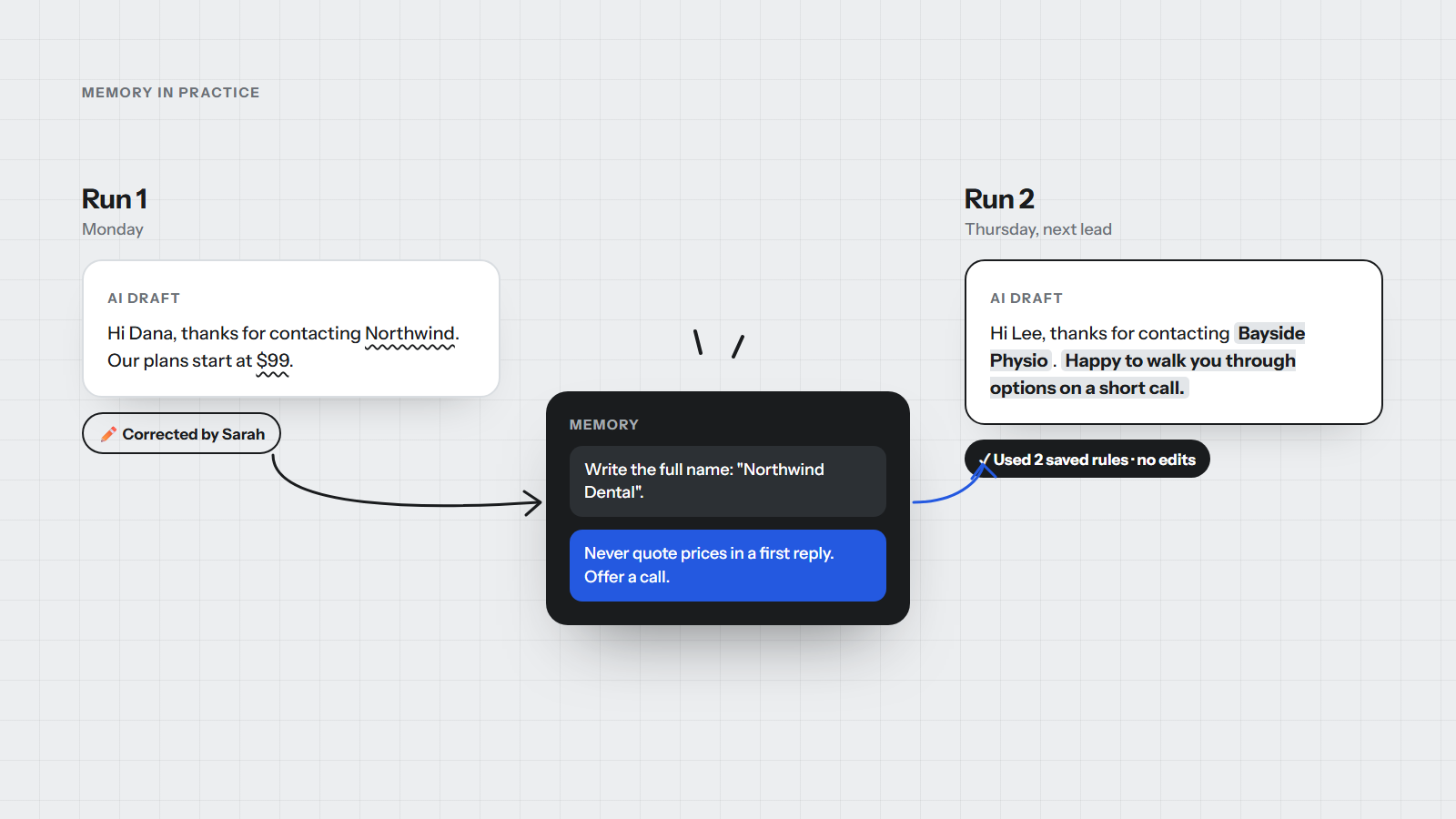
Feedback that only a human reads helps once. Feedback the automation can read helps every run after it.
For rule-based steps, memory is simple: a settings sheet the workflow reads at the start of each run. New price, new owner for a region, a word never to use in emails. Change the cell and the next run follows it.
For AI steps, memory is a short list of saved corrections and approved examples that are added to the instructions. When Sarah fixes a draft on Monday, the correction becomes a rule, and Thursday's draft for a different lead gets it right without anyone touching it.
Our own website chat works this way. Its knowledge lives in a Google Drive folder; when we update a document, the knowledge base rebuilds itself and the next answer uses it. We wrote up that build in How we built a RAG chatbot with n8n and Pinecone.
Keep memory small and visible
Memory that nobody can read becomes a new kind of mystery. Keep it in a sheet or a document a person can open, keep each rule to one sentence, and delete rules that no longer apply. Twenty clear rules beat two hundred vague ones.
3. A 15-minute tune-up, every week
Some feedback cannot be turned into a rule automatically: a report that needs a new section, a lead source that stopped working. That is what a short weekly routine is for. Same time every week, one person, one sheet.
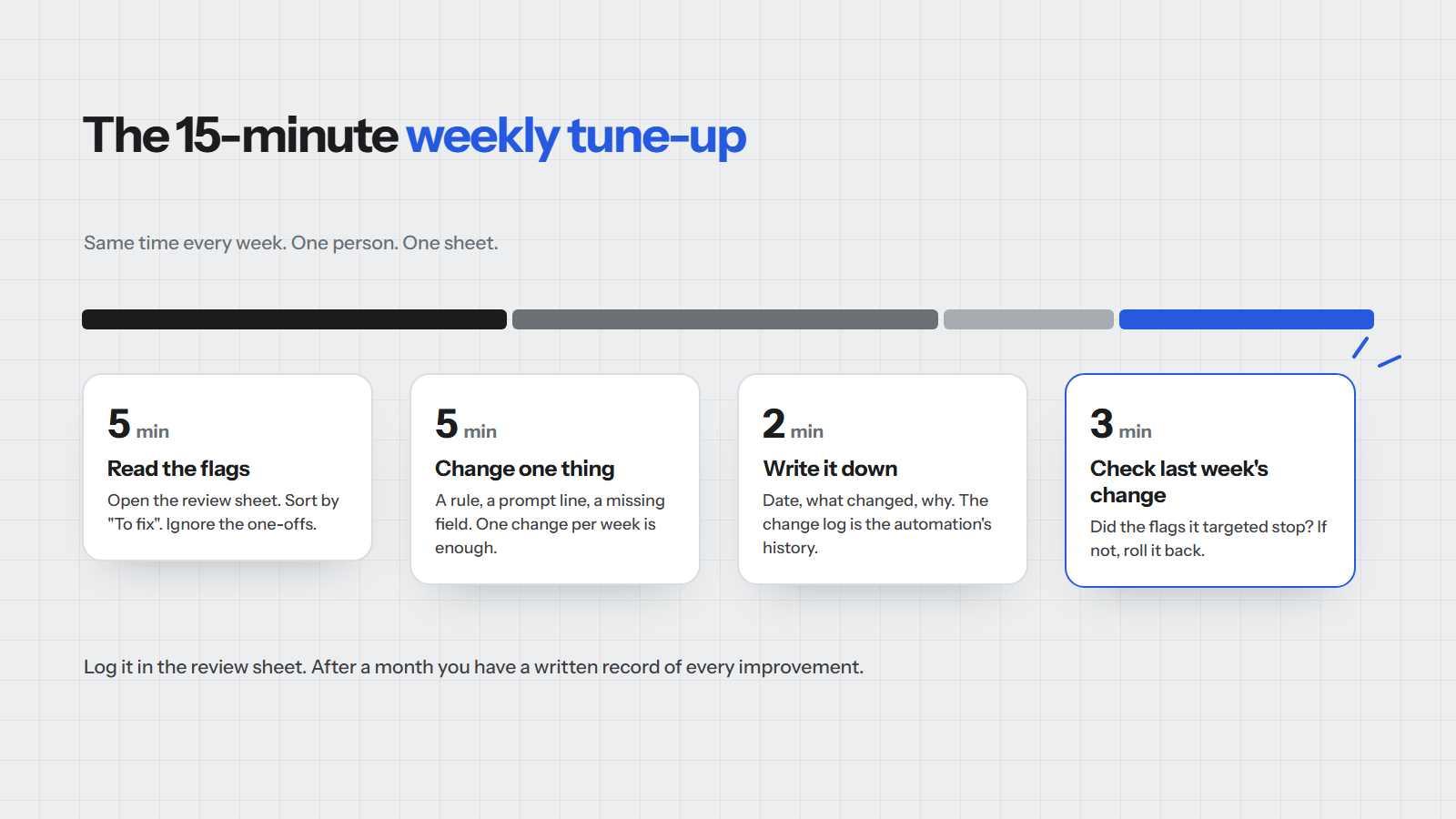
Two rules make this work:
- Change one thing per week. If you change five things and results get worse, you will not know which one did it.
- Check last week's change before making a new one. Did the flags it targeted stop? If not, roll it back.
The change log you build this way is worth more than it looks. After a few months it is the full history of why the automation behaves the way it does, which is exactly what a new team member, or your next automation partner, needs.
What this looks like on a real build
We used the same loop on our own site chat in its first week. The first version gave accurate answers that were far too long. We only knew because every conversation is visible in n8n's execution log, which is our review sheet for that bot. One change to the instructions later, average replies went from 122 words to 41, and they came back faster too.
That is the whole idea at a small scale: see the result, decide on one change, make it, check it.
Playbook
- Put a one-tap reaction on every result people receive: a button, a reply, or a kept edit.
- Send all feedback to one review sheet, linked to the run it came from.
- Keep a memory the next run reads: a settings sheet for rules, saved examples for AI steps.
- Hold a 15-minute tune-up each week and change one thing at a time.
- Log every change with the date and the reason.
- Delete rules that no longer apply, so memory stays short and readable.
If you have automations that worked well at launch and have quietly drifted since, that is usually the cheapest thing to fix. Book a free 30-minute call and we will look at where a feedback loop would pay off first.
This post was prompted by Script.it's article on feedback loops for automations, which is worth reading for their take on the same problem.
Written by
Bwire Solomon
Founder, SalnetHub
Solomon has built automations, CRM workflows and AI agents for 53 client projects since 2023, mostly for small teams running on Google Workspace, HubSpot, Zoho, Make, Zapier and n8n.